
Blog
Best Standalone VR Headset Without a PC: What You Actually Need to Get Started

You want to try VR, but every guide seems to end with “…and a $1,500 gaming PC.” Add external sensors, cables across the living room, and an hour of setup, and most people quit before they start.
Standalone VR removed all of that. The only question left is which headset gets you in fastest for the least money.
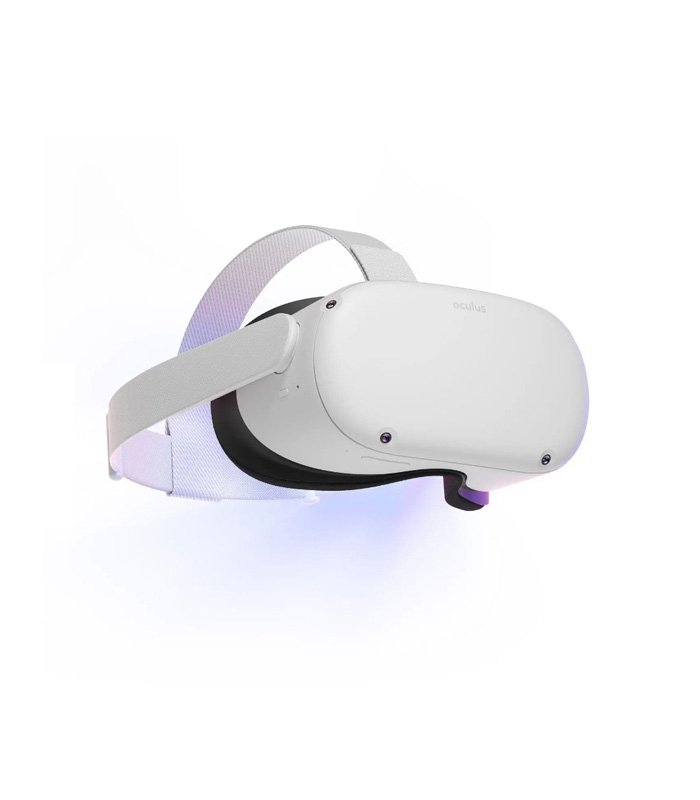
Quick Answer / TL;DR: The best entry point into standalone VR is the Oculus Quest 2 — an all-in-one wireless headset that needs no PC, no console, and no external sensors, currently $449. Setup takes minutes, the Meta ecosystem offers one of the largest VR game libraries available, and you can later cable it to a PC for SteamVR if you upgrade.
Featured Solution: Oculus Quest 2
Best For: First-time VR buyers and casual gamers who want wireless, setup-free virtual reality
Why We Recommend It: It’s a complete VR system in one headset — no PC, no sensors, no cables — with inside-out tracking and a massive game library for $449.🛒 View Oculus Quest 2 Details & Real-Time Pricing on SmartBuyGadgets
What “Standalone” Really Means
A standalone headset contains its own processor, display, tracking cameras, and battery. You unbox it, draw a play boundary on the floor, and you’re in VR — typically inside 15 minutes.
Tethered headsets like the Pimax Vision 8K X deliver higher fidelity but demand a powerful PC and a cable. For a first headset, freedom of movement beats pixel counts.
Tracking Without External Sensors
The Quest 2 uses inside-out tracking: built-in cameras map your room and track your hands and controllers with no wall-mounted base stations.
That’s what makes it practical in apartments, dorms, and shared living rooms — nothing to install, nothing to knock over.
More Than Games
The Oculus Quest 2 covers fitness apps, meditation, social VR platforms, and media viewing alongside its game library. Built-in speakers deliver positional 3D audio without headphones.
For many owners, VR workouts end up being the feature that keeps the headset off the shelf.
Standalone vs. PC VR: Three Deciding Factors
| Criteria | Oculus Quest 2 (Standalone) | PC VR Headset (e.g., Pimax 8K X) | Why It Matters |
|---|---|---|---|
| Total cost of entry | $449, nothing else required | $1,000+ headset plus $1,500+ PC | Standalone costs ~80% less to start |
| Setup | Minutes, no sensors or cables | Base stations, cables, driver configuration | Lower friction means you’ll actually use it |
| Upgrade path | Optional PC link unlocks SteamVR | PC-only by design | Quest 2 grows with you instead of locking you in |
That last row matters most. The Quest 2 isn’t a dead end: connect it to a gaming PC later and it doubles as a PC VR headset with access to the SteamVR library — hardcore titles included.
Comfort and Session Length
The lightweight design and adjustable straps keep weight balanced for longer sessions. The wireless battery supports typical 2–3 hour play sessions, and you can play while charging for extended use.
If you’re buying a first headset for a household, the ergonomics make the Quest 2 headset easy to pass between family members without refitting hassles.
SmartBuyGadgets ships authentic units to the USA, Canada, and UK within 72 hours, with a 1-year warranty included.
Frequently Asked Questions
Do I need a PC or console to use the Oculus Quest 2?
No. The Quest 2 is fully self-contained — processor, tracking, and storage are all built in. A PC is only needed if you later choose to play PC VR titles via a link cable or Wi-Fi streaming.
Can the Oculus Quest 2 play SteamVR games?
Yes, when connected to a VR-ready PC using a USB-C link cable or wireless Air Link. That gives you both the standalone Quest store library and the SteamVR catalog on one device.
Is the Quest 2 good for VR fitness apps?
Yes. Its wireless design and inside-out tracking make it one of the most popular headsets for fitness apps, since there are no cables to restrict movement during workouts.