Logitech POP Keys Review: Fun, Stylish, and Functional Mechanical Keyboard
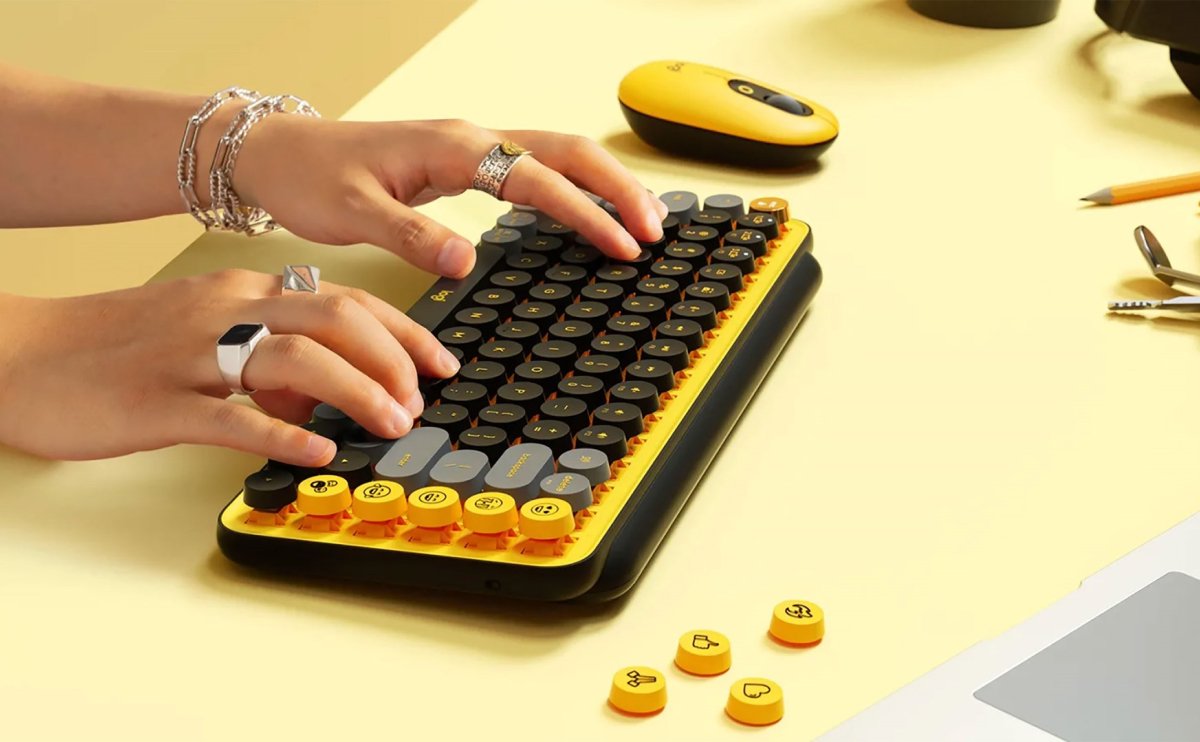
The Logitech POP Keys is a wireless mechanical keyboard designed for typing comfort, productivity, and fun. With tactile mechanical switches, customizable emoji keys, and multi-device support, it’s perfect for everyday work or creative setups. Whether you’re writing emails, chatting, or switching between devices, the Logitech POP Keys delivers a unique typing experience with style.
Key Features of Logitech POP Keys
🎉 Dedicated Emoji Keys
The Logitech POP Keys comes with dedicated emoji keys, letting you add personality to your messages. You can customize them using Logitech’s Options+ software for Windows and macOS.
⌨️ Mechanical Typing Experience
Enjoy tactile feedback with mechanical switches rated for long-term durability, providing a satisfying typing feel compared to membrane keyboards.
📶 Multi-Device Connectivity
Pair the Logitech POP Keys with up to three devices simultaneously using Bluetooth or the Logitech Bolt USB receiver, and switch between them seamlessly.
🔋 Long Battery Life
The keyboard uses two AAA batteries that can last up to 3 years depending on usage, thanks to Bluetooth Low Energy technology.