

Blog
MacBook Pro vs Gaming Laptop for Creators — Which to Buy 2025?

MacBook Pro vs Gaming Laptop for Creators — Which Should You Buy in 2025?
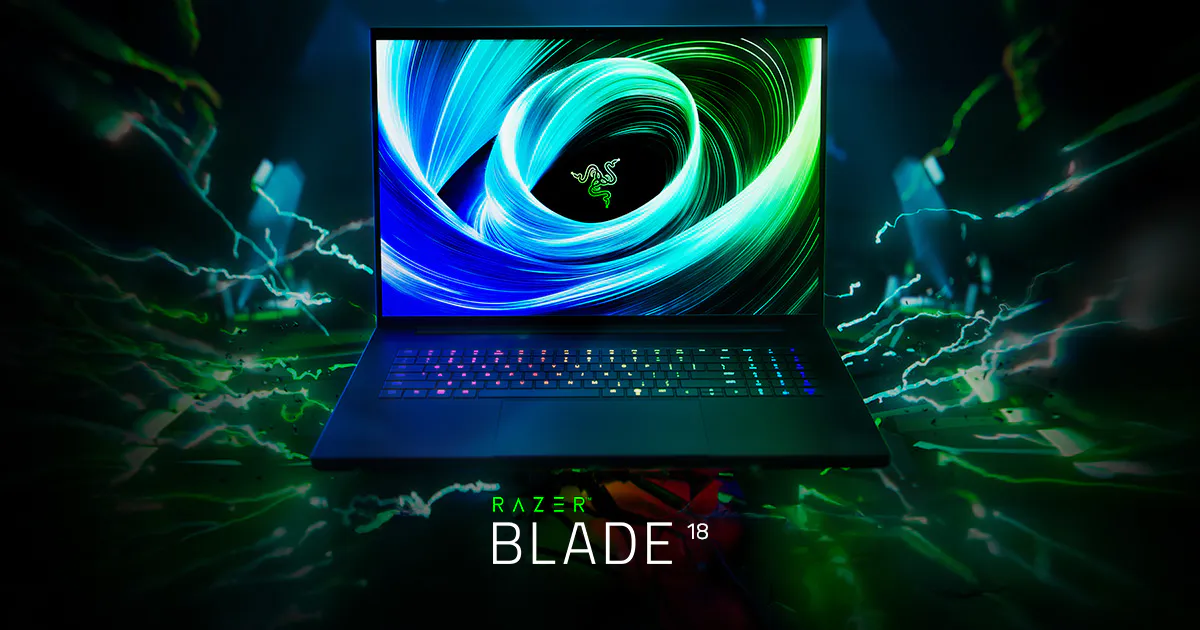
The MacBook Pro vs gaming laptop for creators debate has never been more competitive. Consequently, SmartBuyGadgets breaks down every meaningful performance, workflow, and value dimension — so creative professionals can invest with full confidence in 2025. Specifically, the Apple MacBook Pro M4 Max delivers unmatched per-watt compute efficiency and ProRes hardware acceleration, while Windows gaming laptops like the ASUS ROG Zephyrus G16 and Razer Blade 18 offer significantly more raw GPU rasterization power, NVIDIA CUDA acceleration, and display refresh rate advantages. Therefore, the right choice depends entirely on your creative software stack, your need for portability, and whether you also game.
MacBook Pro M4 Max vs Top Gaming Laptops — Full Specification Comparison
| Specification | MacBook Pro M4 Max 16″ | ASUS ROG Zephyrus G16 | Razer Blade 18 |
|---|---|---|---|
| Processor | Apple M4 Max (16-core CPU) | Intel Core Ultra 9 185H | Intel Core i9-14900HX |
| GPU | Apple 40-core GPU | NVIDIA RTX 4080 16GB GDDR6 | NVIDIA RTX 4090 16GB GDDR6X |
| GPU VRAM | Shared (up to 128GB) | 16GB dedicated VRAM | 16GB dedicated VRAM |
| Memory Bandwidth | 400GB/s (unified) | 256GB/s (LPDDR5X) | 192GB/s (DDR5) |
| Display | 16.2″ Liquid Retina XDR 120Hz | 16″ QHD+ OLED 240Hz | 18″ QHD+ 300Hz IPS |
| Battery Life | Up to 24 hours | ~8 hours productivity | ~4 hours productivity |
| Weight | 2.14kg | 1.95kg | 3.1kg |
| Starting Price | $3,499 (M4 Max base) | $2,999 | $3,999 |
Consequently, the MacBook Pro M4 Max wins decisively on battery life, memory bandwidth, and thermal efficiency. However, the NVIDIA RTX 4080/4090 laptops win on CUDA-accelerated workflows (Blender Cycles, OctaneRender, NVIDIA Omniverse), VRAM-intensive 3D scenes, and gaming performance. Furthermore, the 240Hz+ displays on gaming laptops provide a meaningful advantage for motion-heavy UI work and video editing timeline scrubbing.
Which Creative Software Runs Better on MacBook Pro vs Gaming Laptop?
Moreover, software compatibility is often the deciding factor. Specifically, Final Cut Pro is macOS-exclusive — if FCP is your primary NLE, the MacBook Pro is the only choice. Furthermore, Logic Pro on macOS offers deep Apple Silicon optimization that Windows DAWs cannot match for low-latency audio production. However, Adobe Creative Cloud, DaVinci Resolve, Blender, and Unity run on both platforms — with NVIDIA RTX laptops often winning CUDA-accelerated tasks (Blender Cycles GPU render, Premiere Pro CUDA encode). Consequently, mixed-stack creatives who use both Apple-exclusive and CUDA-intensive tools may genuinely benefit from owning both platforms.
Frequently Asked Questions — MacBook Pro vs Gaming Laptop for Creators
Is the MacBook Pro M4 Max faster than RTX 4090 laptops for video editing?
For Apple-optimized workflows (Final Cut Pro, Logic Pro, ProRes encoding), yes — significantly. Specifically, the M4 Max’s 4 ProRes hardware engines encode 4K ProRes 422 HQ approximately 3–5x faster than software-based encoding on RTX laptops. However, for CUDA-accelerated effects and GPU-rendered compositions in Adobe Premiere Pro or DaVinci Resolve Fusion, the RTX 4090 can be competitive or faster depending on the specific workload.
Which laptop is better for 3D artists using Blender?
For Blender Cycles GPU rendering specifically, the RTX 4090 in the Razer Blade 18 is substantially faster due to NVIDIA CUDA’s deep Blender optimization. Specifically, Blender’s CUDA and OptiX render paths are highly tuned for NVIDIA hardware, and the RTX 4090’s 16,384 CUDA cores vastly outnumber the Apple GPU’s compute units for batch render jobs. Consequently, 3D artists with Blender-heavy pipelines should choose a gaming laptop over MacBook Pro.
Can gaming laptops run macOS-exclusive software like Final Cut Pro?
No. Final Cut Pro, Logic Pro, and other Apple-exclusive applications run only on macOS hardware. Consequently, creatives whose workflow centers on Apple-ecosystem software have no alternative to the MacBook Pro. Furthermore, Boot Camp has been discontinued on Apple Silicon, meaning MacBook Pro users cannot dual-boot Windows — an important consideration for mixed-OS workflows.
Does the MacBook Pro M4 Max support external GPU (eGPU)?
No. Apple removed eGPU support starting with Apple Silicon MacBook Pro models. Consequently, the M4 Max’s internal GPU is fixed — you cannot add external CUDA capacity. Therefore, creatives requiring NVIDIA CUDA acceleration must either use a Windows gaming laptop or invest in a separate NVIDIA-equipped workstation for GPU-compute tasks.
Does SmartBuyGadgets carry both MacBook Pro and gaming laptops?
Yes. SmartBuyGadgets stocks the full Apple MacBook Pro M4 Pro and M4 Max lineup alongside our complete Windows gaming laptop catalog — ASUS ROG, Razer, MSI, Lenovo Legion, and HP OMEN. Consequently, you can compare, configure, and order either platform with fast insured shipping and a fully secure checkout experience.
Order Your Creative Laptop Today — MacBook Pro or Gaming Laptop
SmartBuyGadgets stocks both MacBook Pro and elite gaming laptops with fast shipping and secure checkout. Furthermore, our team can advise on the best configuration for your specific creative software stack and workflow. Therefore, browse our full laptop catalog today and invest in the creative machine your work demands.